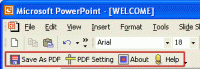
PPT to PDF Converter is a PowerPoint Plugin that convert PPT to PDF, PowerPoint document to PDF automatically.
PPT to PDF Converter is the fast, affordable way to create professional-quality documents in the popular PDF file format. Its easy-to-use interface allows you to create PDF files by simply click the "Save as PDF" button from MS PowerPoint, creating documents which can be viewed on any computer with a PDF viewer. PPT to PDF Converter supports Font embedding, resolution, compression and multi-language. It quickly convert powerpoint document to PDF format. It is very powerful and easy-to-use. It support all popular PDF format. It allows you to customize page size,page color,font,font style,font size,fond color, etc in the PDF file. It can be run independently, does not need Adobe Acrobat.
---------------------------------
Using PPT to PDF Converter in Microsoft PowerPoint
Simply choose File/Open in Microsoft Powerpoint to open a original PowerPoint document, then click the "Save as PDF" button in the toolbar to instantly create a PDF file from the PowerPoint document.
PPT to PDF Converter retains the layout of the original PowerPoint document, and it supports all PDF file settings, such as PDF Compatibility, Auto-Rotate, Resolution, Compress settings of PDF document, Colors settings of PDF document, Fonts settings of PDF document.
---------------------------------
Easy
Converting Microsoft PowerPoint documents into PDF normal files couldn't be any easier. Simply open the Ppt file you want to convert into PDF file and click the "Save as PDF" button in the Microsoft PowerPoint toolbar, PPT to PDF Converter quickly re-creates your Ppt file as a fully formatted PDF files.
Fast
Get the job done in seconds or minutes, not hours or days. PPT to PDF Converter eliminates the need to re-key and re-format PDF documents, saving you both time and money.
Accurate
You will be amazed at the results you get from PPT to PDF Converter. It accurately retains the layout of the original Ppt file. Converts text in over 100 languages and separates graphics from tables and text. Whats new in version 4.0: PPT to PDF Converter convert PPT to PDF. Requirements: Office 2000 or higher version Operating system: Win2000,Win7 x32,Win7 x64,WinVista,WinVista x64,WinXP Release notes: Major Update
Integrated with Microsoft Outlook. Set up phone, Email, text message, instant message, and Fax reminders directly from Outlook calendar.
Price: $0, Rating: 9, Downloads: 366 Download
AnyBizSoft PDF to PowerPoint Converter is a powerful PDF converter software which helps you easy to convert multiple PDF files at the same time to editable and dynamic PPT presentations with perfect effects.
Price: $29.95, Rating: 0, Downloads: 165 Download
PDF restrictions remover software unlock PDF security owner password and enables PDF content copying, document printing, form filling and modifying. Decryption tool supports 40-bits/128-bits RC4 and 128-bits AES encrypted PDF files to unrestrict.
Price: $24.95, Rating: 4, Downloads: 147 Download
PDF password security guard, protect your digital property from unauthorized person by securing them with pdf open password, preventing them from printing, text copying, filling, commenting with owner password restrictions and by encrypting.
Price: $19.95, Rating: 5, Downloads: 145 Download
User Rating
Rating:2.2 out of
5 Based on13 ratings.
13 user reviews.

 PPT to PDF Converter 4.0 details